

Using TradingView with Deriv in Pakistan
Discover how traders in Pakistan can blend TradingView's charts with Deriv's platform for informed market analysis and smarter trading decisions 📈💹🇵🇰
Edited By
James Whitaker
In today’s fast-paced trading world, having the right tools can make all the difference between a lucky guess and a well-informed trade. Pakistani traders are increasingly looking for ways to sharpen their strategies, combining powerful charting with efficient trading platforms. That’s where TradingView and Binary.com come into play.
TradingView offers dynamic charting and technical analysis tools, while Binary.com provides a user-friendly platform for executing trades, including binary options and forex. This article will show why blending these two platforms is a smart move for traders seeking a clearer edge.

We’ll lay out what each platform brings to the table, explore how to connect them practically, and share hands-on tips that can help you trade smarter, not harder. This is not just theory – it’s about translating powerful features into better decisions and, ultimately, better results for traders in Pakistan.
Understanding both TradingView and Binary.com platforms is a key starting point for anyone looking to improve their trading game. Each offers unique strengths that, when combined, give traders a significant edge, especially in the fast-paced binary options market popular in Pakistan.
Charting capabilities and tools: TradingView stands out for its powerful charting system. It provides a wide range of chart types—from candlesticks to Renko—and an arsenal of drawing tools like Fibonacci retracements, trend lines, and pitchforks. This variety enables traders to visually interpret market trends and make timely decisions. For example, a trader spotting a head-and-shoulders pattern can anticipate a trend reversal and prepare a binary option accordingly.
Real-time data and indicators: One of TradingView’s strengths is delivering real-time market data across multiple asset types, including forex, stocks, and cryptocurrencies. Traders can apply over a hundred built-in indicators such as MACD, RSI, and Bollinger Bands to assess price momentum and volatility. Access to live data mean you won’t be relying on outdated info, which is critical when timing binary trades.
Community scripts and strategies: The power of TradingView is amplified by its active user community. Traders share custom scripts and automated strategies through the Public Library, offering fresh perspectives or refined tactics that can be tested and adapted. For instance, a Pakistani trader might find a volatility breakout strategy customized for local market hours, saving hours of development time.
Types of binary options available: Binary.com offers a neat range of binary options, including classic Up/Down, Touch/No Touch, and Range options. This flexibility lets traders tailor their bets according to market conditions. For example, when the market moves sideways, Range options could be the choice, whereas during strong trends, Up/Down options become more attractive.
User interface and trading conditions: Binary.com is designed with simplicity in mind. The user interface is clean and fast, catering well to both newbies and experienced traders. The platform provides clear pricing, payout rates, and expiry choices—crucial for quick decisions. Moreover, trading conditions like spreads and minimum investments are competitive, helping manage risk on tighter budgets.
Account types and regulation: Binary.com offers various account types catering to different traders—from demo accounts for practice to real-money accounts with regulatory oversight. The platform operates under licenses from Isle of Man and Malta authorities, which means traders’ funds and data enjoy a degree of protection rarely matched in this space. Such regulation is key to building trust, especially for Pakistani traders venturing into online binary options.
Combining TradingView’s in-depth analysis tools with Binary.com’s intuitive trading environment builds a practical and powerful setup. Knowing the ins and outs of each platform ensures you’re not just trading blindly but making informed, strategic moves tailored to current market scenarios.
This overview sets the stage for exploring how to connect these platforms effectively and leverage their full potential in the coming sections.
Combining TradingView's analytical strengths with Binary.com's trading platform can significantly improve decision-making for traders, especially in markets like Pakistan where every edge counts. By using both platforms together, traders gain a clearer picture of market movements and better tools for execution, rather than relying solely on one interface. This approach opens up the possibility to spot opportunities more quickly, manage risks better, and act on trade signals with greater confidence.
TradingView offers a wide range of charting options and technical tools that Binary.com doesn’t fully provide. Its user-friendly layout, multiple chart types (candlestick, Heikin-Ashi, Renko, and others), and a rich set of technical indicators like Bollinger Bands or Ichimoku Clouds empower traders with detailed market information. For example, a Pakistani trader analyzing forex pairs can overlay support and resistance levels directly on TradingView’s chart, making it easier to anticipate price reactions and set sensible binary options trades on Binary.com.
Finding the right moment to enter or exit a trade is critical in binary options trading, where timing can make or break a profit. TradingView’s alert system and in-depth pattern recognition help pinpoint these moments. For instance, spotting a double bottom or a bullish engulfing candle can hint at an upward move. Traders then transfer these insights to Binary.com, placing trades with better odds. This combination helps reduce guesswork by basing decisions on visible market signals instead of impulsive hunches.
One of TradingView’s strengths lies in its community-written custom indicators and scripts. These tools can filter noise and highlight specific market conditions that suit binary options strategies. For example, a volatility-adjusted RSI indicator custom-built for TradingView could help Pakistani traders avoid false signals during erratic market phases. Using these tailored indicators alongside Binary.com’s execution framework means smarter trades that align closely with real-time market behavior.
At its simplest, traders can monitor signals on TradingView charts and manually place trades on Binary.com. This method fits traders still getting accustomed to technical analysis and platform dynamics because it keeps control in their hands. Although it requires disciplined observation, this approach lets traders adapt quickly without relying on bots or additional software.
For those looking to streamline the process, a few third-party tools exist that bridge TradingView signals with Binary.com trading actions. Some popular trading bots or automation services can interpret TradingView alerts and execute trades automatically or semi-automatically on Binary.com. Before opting for these, it’s crucial to consider security—only use reputable and well-reviewed tools. It’s a handy step for Pakistani traders who want efficiency but should be approached carefully to avoid scams or errors.
For technically inclined traders or developers, using Binary.com’s API in tandem with TradingView’s webhook alerts unlocks full automation potential. Customized programs can be written to receive TradingView’s signal alerts and then trigger trades on Binary.com without manual steps. This method allows for advanced strategy implementation, such as setting trade size, duration, and risk parameters dynamically. While it requires programming knowledge and rigorous testing, automation via API offers a powerful advantage when done right.
Combining TradingView's analytical depth with Binary.com's trading platform adds a crucial layer of precision and control, transforming how traders in Pakistan approach binary options markets.
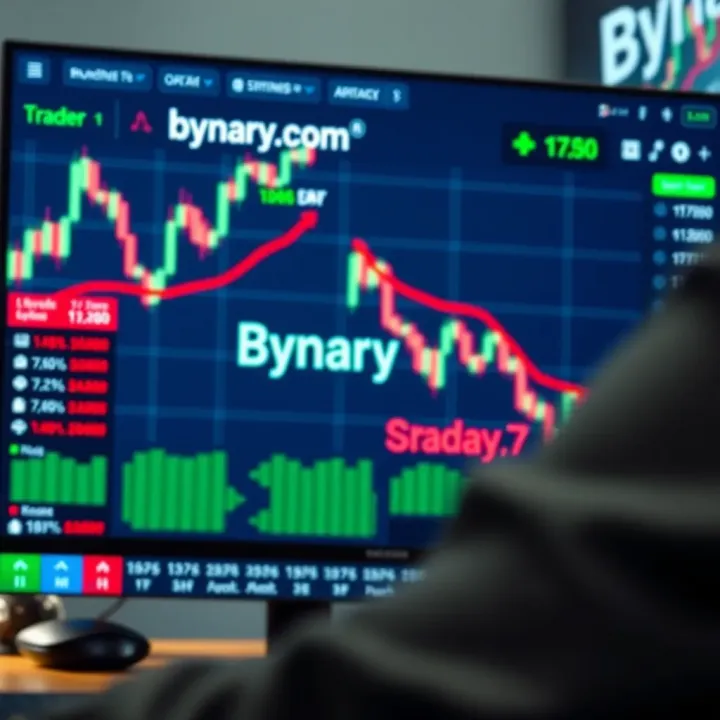
Overall, using TradingView and Binary.com together isn’t merely about convenience but about making better-informed trades. From manual signal tracking to full automation, each method serves different needs and experience levels, giving every trader options to enhance their workflow effectively.
Getting TradingView ready for Binary.com trading isn’t just about connecting two tools; it’s about tailoring your setup for sharp, focused decisions. The relevance here lies in how fine-tuning your charts and alerts makes a real difference when binary options demand quick, clear calls. Pakistani traders, for example, benefit significantly by customizing TradingView’s flexible interface to match Binary.com's trading window, making sure no opportunity slips by unnoticed.
Picking the right timeframe on TradingView charts is crucial for binary options trading because it helps match your analysis to the trade duration. For instance, if you’re planning a 5-minute expiry binary option, using a 1-minute or 5-minute chart ensures your data reflects short-term market moves accurately. This avoids chasing lagging information, which often leads traders astray. Conversely, longer durations like 1 hour might suit daily expiry trades but don't help much for quick binary trades. So, switching timeframes depending on your trade type can boost precision and timing.
Volatility and momentum indicators act like your radar, signaling when the market’s heating up or cooling off. Tools such as Bollinger Bands can highlight expanding or contracting volatility, which is great for spotting potential breakouts or reversals. Meanwhile, the Relative Strength Index (RSI) helps identify overbought or oversold conditions, guiding traders to favorable entry points. Using these indicators together allows Pakistani traders to catch price surges or pauses before Binary.com ticks the expiry clock.
Alerts are a trader's best mate when you can't stare at charts all day. TradingView lets you set custom alerts based on price action or indicator conditions. For example, you can get notified when RSI dips below 30 (oversold) or when the price crosses a moving average. Setting these alerts means you don’t have to monitor every second; you'll be pinged only at moments worth action. This is a practical convenience, especially during Pakistan's busy trading hours or when juggling multiple screens.
Custom alerts on TradingView offer flexibility to catch very specific market situations. You can create alerts for an array of conditions — say, a moving average crossover combined with a MACD histogram turning positive. This layered alert setup can guide your binary trades more confidently by signaling when multiple technical factors align. In essence, it filters noise, making your trading signals sharper and more reliable for Binary.com.
Receiving too many alerts can be overwhelming — the last thing you want is to miss crucial calls amid spam. TradingView allows you to customize how alerts notify you: pop-ups, emails, or mobile app notifications. Pakistani traders can, for instance, silence non-urgent alerts during off-hours but enable push notifications during peak trading times. Smart notification management keeps you focused and responsive without burning out.
The real power comes when you tie those alerts directly to your trading workflow. While Binary.com doesn't yet fully automate trades from TradingView alerts, you can streamline your approach by quickly acting on signals. For example, once an alert fires, you can immediately log into your Binary.com dashboard and place the trade. Some traders take this a step further with third-party tools or scripts that translate TradingView alerts into actionable cues or semi-automated trading prompts, cutting down reaction time further.
Setting up TradingView properly for Binary.com trading isn’t about complexity but about crafting a workflow where analysis meets action efficiently. Getting your charts set and alerts tuned means when the market moves, you’re ready to move with it — not second-guessing or missing out.
This prep work, though often overlooked, forms the backbone of efficient, results-driven binary options trading, especially in fast-paced markets typical of Pakistan's financial landscape.
Integrating TradingView's advanced charting capabilities with Binary.com's trading interface opens up new horizons for crafting effective trading strategies. This combo lets traders better spot market trends, time entries, and manage risks with greater precision. Instead of relying on guesswork or basic charting, traders in Pakistan can tap into a wider range of technical tools and organize their trades smarter.
Trend following is one of the simplest yet powerful strategies. Using TradingView, you can identify clear uptrends or downtrends through moving averages or trendlines, then execute corresponding trades on Binary.com. For example, if the 50-day moving average crosses above the 200-day on TradingView, it's a sign the market is gaining bullish momentum. You can place a 'Rise' binary option on Binary.com timed to that trend's expected duration. This approach reduces second guessing since you're riding the market's current direction rather than trying to predict reversals.
Reversal setups can be trickier but rewarding when timed right. TradingView’s candlestick patterns like hammer or shooting star, combined with support and resistance zones, help spot likely reversal points. Breakouts, on the other hand, occur when price snaps out of a consolidation range. Watching volume spikes on TradingView adds confidence that a breakout will sustain. These moments give clear binary option triggers: a "Fall" trade after a failed upward breakout or a "Rise" trade after price breaks resistance with strength.
Oscillators such as RSI, Stochastics, or MACD on TradingView help identify overbought or oversold conditions. For instance, an RSI reading below 30 might indicate oversold assets, suggesting a potential bounce. Paired with Binary.com’s short expiry options, traders can capitalize on quick reversals. Oscillators add finesse by signaling when momentum is weakening or about to shift, improving the accuracy of trade timing.
While traditional stop-loss orders aren’t available in binary options, you can still apply risk management by defining your maximum acceptable loss and expected profit before entering a trade. TradingView’s analysis helps estimate potential price moves, guiding you on which expiry times and payout levels to select on Binary.com. Planning your trades this way prevents chasing losses and promotes disciplined trading.
A smart rule is to never risk more than 1-2% of your total trading capital on a single binary option. Binary.com allows you to choose investment amounts flexibly. Use TradingView signals to pick higher probability trades and allocate more, while spending less on uncertain setups. This way, your account holds up longer and grows steadily rather than swinging wildly.
After closing a trade on Binary.com, review the outcome versus what TradingView analysis predicted. Was the signal accurate? Did external factors influence the result? Keeping a simple trading journal helps refine your strategy over time. Noticing patterns — like certain indicators working better during Pakistani market hours — allows you to tweak your approach and improve results.
Combining technical tools for analysis and a reliable binary trading platform makes your trading less like guesswork and more like a calculated business. Stick to proven strategies, manage risk tightly, and learn from every trade to sharpen your edge.
When combining TradingView's analytical power with Binary.com's trading platform, having the right tools and resources is a game-changer. These not only smooth the workflow but also boost your decision-making accuracy and speed. For Pakistani traders especially, leveraging third-party apps, automation bots, and community knowledge can save time and mitigate common pitfalls.
Automation tools serve as the bridge between TradingView’s signals and Binary.com’s execution systems. Whether you choose simple signal trackers or fully automated trading bots, these apps help reduce manual errors and capitalize on timely entry and exit points. Some popular options include Autoview, which lets you convert TradingView alerts into actionable trades on Binary.com, and tools like 3Commas, which offer bot-based management. These allow users to focus on strategy while the system handles trade execution around the clock.
With automation, security is not just important—it's critical. Using bots means granting third-party applications access to your trading accounts, so choosing platforms with strong encryption and two-factor authentication is a must. Always double-check that the app complies with the latest security protocols and never share your API keys or credentials recklessly. It's wise to start with small investments when testing new tools, limiting potential risks from software bugs or hacking attempts.
Costs vary widely depending on the complexity of the automation tool and features offered. Some apps are free up to a limit, while premium versions with enhanced functionality can range from $10 to $50+ per month. Pakistani traders should consider service availability too; some tools might have region restrictions or limited support for local payment methods. Weighing cost against potential return and convenience helps justify the expenditure.
One of TradingView's standout features is its vibrant community of traders sharing custom scripts and trading ideas. These publicly available indicators and strategies can be a treasure trove for Binary.com users looking to spot new opportunities. For instance, a custom indicator might highlight short-term momentum shifts perfect for binary options. Engaging with these scripts can inspire modifications aligned with your trading style or local market conditions.
Binary.com offers extensive tutorials designed to help traders get comfortable with their platform’s nuances—from placing trades to managing risk. Participating in their forums provides insights into common challenges and proven solutions. Since many users from South Asia frequent these spaces, you’ll find discussions relevant to market hours, regulation, and typical trading volumes relevant to Pakistan.
Access to localized educational materials, webinars, or trading groups tailored for Pakistani users is incredibly valuable. Local insights often cover regional market peculiarities like the effect of political events on currency pairs or tips on broker selections compliant with Pakistani regulations. Joining local trading communities or following Pakistani finance educators on platforms like YouTube can offer an extra layer of practical guidance and peer support.
Using the right tools combined with community knowledge is like having a trading compass and a reliable map—together, they steer you clear of costly errors and point you toward profitable trades.
Integrating these resources into your trading routine makes the sophisticated pairing of TradingView and Binary.com much more accessible and effective, especially in the dynamic environment Pakistani traders face today.
When combining TradingView’s sharp charting tools with Binary.com’s trading features, efficiency isn't just a bonus—it’s a must. Navigating these platforms together can get overwhelming without a clear plan, so having some solid tips can make all the difference. Whether you're a seasoned trader in Karachi or just starting out in Lahore, these guidelines can help you keep your trading on track.
Keeping a trading journal is more than just recording wins and losses. It’s about understanding your decision-making process and spotting patterns that work or fail. For instance, jotting down why you entered a binary option trade, what indicators you used from TradingView, and the outcome after executing it on Binary.com can reveal insights only visible over time. This habit helps identify emotional biases or inconsistent strategy application.
Avoiding emotional trades is easier said than done, especially in the ups and downs of binary options. One way to keep emotions at bay is using TradingView’s alert features to stick strictly to your pre-defined entry and exit signals. If a sudden market spike looks tempting to chase, having an alert that triggers only on specific conditions helps prevent knee-jerk reactions. Remember, trading on impulse often burns your capital quicker than anything else.
Adapting strategies to market changes means not getting stuck in a single approach. Markets evolve; what works on a Monday might flop on Friday. Pakistani traders especially should consider global economic events alongside local market trends—say, a sudden rupee devaluation or political shifts. Regularly reviewing your TradingView scripts and indicators for effectiveness, then adjusting your Binary.com trade parameters accordingly, keeps your game flexible and relevant.
Ensuring stable internet connection is fundamental but often overlooked. Delays or disconnections can cause missed trades or wrong executions, especially crucial when timing is everything in binary options. Using a wired connection when possible or investing in a reliable ISP plan in Pakistan's urban hubs ensures you won’t lose out due to connectivity hiccups.
Regular platform updates are not just about new features; they often patch bugs and improve security. Both TradingView and Binary.com regularly release updates that enhance performance or fix vulnerabilities. Setting your apps to update automatically or checking for updates weekly can save you from glitches or worse, security risks.
Backup and account security shouldn’t be an afterthought. Use strong, unique passwords for both TradingView and Binary.com accounts, and enable two-factor authentication wherever possible. Regularly exporting your trading data or saving screenshots of key setups on TradingView helps you keep a backup of your analysis, so you're prepared in case of accidental data loss.
Remember, a twitchy strategy is less about luck and more about solid habits and technical reliability.
By fusing disciplined habits with sound technical practices, you set yourself up to use TradingView and Binary.com not just as tools, but as trusted allies in your trading journey. The key is staying consistent and vigilant—qualities respected by every successful trader, no matter where they come from.
Discover how traders in Pakistan can blend TradingView's charts with Deriv's platform for informed market analysis and smarter trading decisions 📈💹🇵🇰

📊 Discover how to use TradingView.com for efficient market analysis with real-time data, charts, and tips tailored for traders in Pakistan.

Explore TradingView live charts 📊 for traders in Pakistan 🇵🇰. Learn to customize, analyze with real-time data, and make smarter trading moves today!
🔍 Discover how traders in Pakistan can combine TradingView & Deriv for smart market analysis & better trading decisions. Tips, features & risks included! 📈💡
Based on 13 reviews