

TradingView Guide for Pakistani Traders
Explore TradingView.com for Pakistani traders 🇵🇰! Learn to set up accounts, use advanced charts 📊, and join a vibrant trading community for smarter decisions 🌐.
Edited By
Maxwell Reed
TradingView has quickly become a favorite among traders worldwide, and Pakistan is no exception. Whether you're trading on the Pakistan Stock Exchange (PSX) or diving into forex and cryptocurrencies, TradingView offers tools that fit your style. From detailed charts that reveal price movements to a buzzing community sharing ideas, this platform covers all bases.
Why focus on TradingView? Because it’s more than just charts—it’s a place where analysis meets social interaction, making it easier to learn, predict, and execute trades smartly. Plus, with features like customizable indicators and real-time data, it’s a versatile tool for beginners and veterans alike.
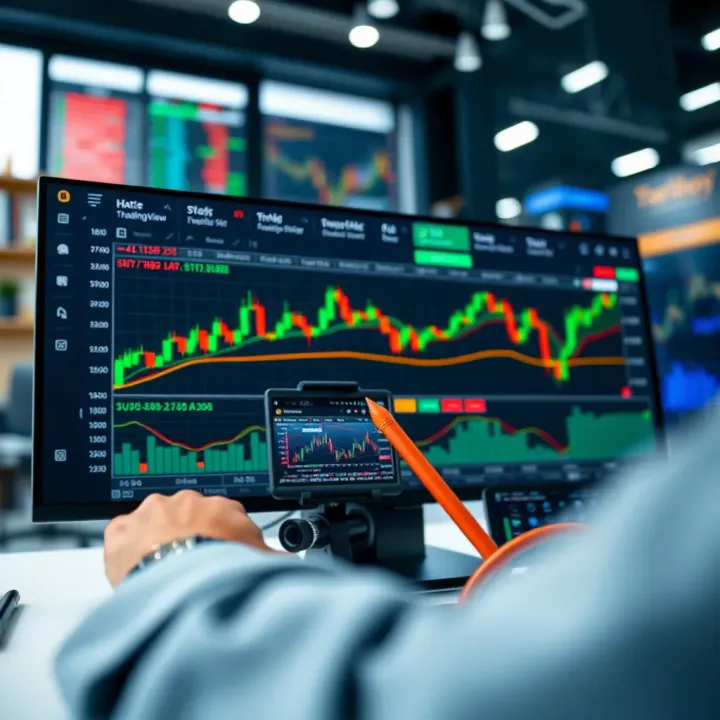
In this guide, we'll walk you through everything you need to know—from setting up your account with a local twist to maximizing TradingView’s features in Pakistan’s trading environment. We'll touch on technical analysis tools, how to connect your brokerage accounts, and tips for trading on the go with mobile access. If you’re looking to sharpen your trading skills and get the most out of your TradingView experience, you’re in the right place.
Trading isn’t just about spotting the next big move; it’s about having the right tools to understand the market’s story. TradingView gives you that edge, whether you’re on your laptop at home or checking charts during your daily commute in Karachi or Lahore.
Get ready to explore a practical, straightforward path to becoming a more informed trader, tailored just for the Pakistani market.
Starting with TradingView gives traders in Pakistan a solid foundation to access market data and analysis tools that were once hard to find locally. Paired with the platform’s user-friendly setup, it fits well with both beginners and seasoned traders aiming to sharpen their market moves. The key here is understanding what makes TradingView stand out — it’s not just about charts and data but how these are laid out and connected for a trader’s daily needs.
This section breaks down what TradingView really offers and why it matters, focusing on the practical side. It covers the nuts and bolts that help traders feel comfortable using the platform, setting the stage for more advanced features later. Whether you’re looking to track the Pakistan Stock Exchange or dive into forex markets, this part paints a clear picture of TradingView’s role.
TradingView is a web-based financial visualization platform that lets you chart and analyze financial markets in real time. One of its biggest draws is how accessible it makes complex data, all through a browser or app without the need for heavy software installs. It offers everything from simple line charts to sophisticated candlestick and Renko charts, catering to every style — whether you’re a quick scalper or a long-term investor.
More than just charts, TradingView integrates social features like chat rooms and public idea sharing. This means users can discuss strategies live or browse through trade ideas posted by other traders worldwide, helping improve your appetite for market moves. Its flexibility supports global markets including stocks, forex, cryptocurrencies, and commodities, making it a versatile tool — especially important when trading from Pakistan, where access can sometimes be limited.
Traders benefit from TradingView primarily through its intuitive interface combined with powerful tools that don’t require an advanced degree to use. For example, the ability to overlay multiple indicators like Moving Averages or RSI on a single chart helps spot trends that might get missed with simpler tools.
Moreover, TradingView’s cloud-based infrastructure lets you save charts and settings without fuss, and picking up where you left off is seamless no matter the device. Alerts are another useful feature: you can set notifications for price movements or indicator triggers and get notified instantly — ideal for those short on time but eager not to miss trades.
TradingView’s biggest win is how it balances depth and simplicity, making it a practical choice for Pakistani traders who want serious tools without the headache.
One key reason traders in Pakistan jump on TradingView is its gateway to international markets. Local markets are important, but many traders want exposure to bigger arenas like NYSE, NASDAQ, or crypto exchanges like Binance. TradingView bridges this gap neatly, offering real-time data and live charts across dozens of asset classes worldwide.
For example, a trader in Karachi interested in Apple shares or Bitcoin futures can track price action closely without switching platforms. This global view helps diversify portfolios and spot opportunities outside Pakistan’s traditional markets, which sometimes move slower or lack liquidity.
Beyond its technical features, TradingView shines as a community hub. It’s buzzing with traders of all levels sharing ideas, which is incredibly valuable for Pakistani traders seeking mentorship or fresh insights. You might find a fellow trader sharing local PSL currency insights or discussing the impact of Pakistan’s economic news on USD/PKR rates.
The discussion boards and published ideas serve as a live classroom where you can see how others approach market analysis or strategies, then test it yourself. For those who find local trading education scarce or outdated, this interactive element is a game changer.
Together, these factors explain why TradingView is not just another tool but a practical platform that matches the dynamic needs of traders staring at both local and international markets from Pakistan.
Getting started with TradingView lays the groundwork for making the most of this powerful trading platform. Whether you're a novice trader in Karachi or an experienced investor in Lahore, mastering the basics helps you navigate smoothly and saves time in the long run. This section guides you through creating an account and getting familiar with the dashboard — critical steps before diving into charting or advanced analytics.
Signing up on TradingView is straightforward yet flexible to fit different preferences. You can register using your email, Google account, or even Facebook. This variety means you can pick whichever option you find most convenient or secure. For a trader in Pakistan balancing multiple platforms, linking your Google account often speeds up the process, plus saves you from juggling passwords.
Once you're signed up, you’ll get access to TradingView’s community features, basic charting tools, and market data. A concrete example: after creating an account, a Karachi-based trader recently mentioned how quickly he accessed Pakistan Stock Exchange (PSX) charts and global indices, allowing him to compare local trends with US markets right from the start.
TradingView offers several subscription tiers starting from a free plan, which could suffice for casual traders. However, for Pakistan’s traders aiming for real-time data and more indicators, upgrading makes sense. Plans like Pro, Pro+, and Premium ramp up the number of charts you can view simultaneously, the variety of indicators, and access to extended historical data.
For example, a trader using the Pro plan can run multiple charts with diverse indicators like RSI & MACD side-by-side—a setup that free users can’t fully exploit. Weighing costs against benefits matters, especially in Pakistan where subscription fees can impact your trading budget. Keep in mind the free version is a great way to start without any upfront commitment.
The TradingView dashboard can seem overwhelming at first, but it breaks down into familiar areas. The central focus is the chart window, where you analyze price movements. To the left, a toolbar houses drawing tools like trendlines and Fibonacci retracements. Above, menus allow you to change timeframes or pull up indicators.
On the right side, you'll find watchlists and alerts; these are handy in Pakistan’s fast-paced market scene. For instance, monitoring PSX shares alongside international stocks from the same dashboard eliminates app-hopping. At the bottom, you have access to the chat and ideas panes, so you can immediately jump into market discussions or publish your own insights.
Customizing your workspace is key to trading efficiently. In TradingView, you can resize and reposition charts, save chart layouts, and even set themes (light or dark) based on what’s easier on your eyes during late-night trading sessions common in Pakistan.
A practical tip: traders who focus on forex pairs like USD/PKR often keep multiple windows open side by side—say, one for candlestick charts and another for Renko charts to filter out noise. You can save this setup so it loads instantly every time. This way, you avoid wasting precious moments tweaking the interface mid-trade.
Pro tip: Spend some time setting up your workspace before the market opens; a well-organized dashboard can be as valuable as any indicator.
By mastering these starting points—registering the right way and shaping your dashboard—you set a solid base to explore everything else TradingView has to offer tailored for Pakistan’s market nuances.
Charting and analysis tools form the backbone of TradingView’s appeal, especially for traders in Pakistan who want to make informed decisions in a fast-moving market. These tools help turn raw price data into visual insights that reveal market trends, support and resistance levels, and potential trade signals. Whether you are trading local stocks on the Pakistan Stock Exchange or international forex pairs, mastering these tools can give you a clearer edge.
Candlestick, bar, and line charts are the classic trio every trader should be familiar with. Candlestick charts, for example, are incredibly popular because they provide rich detail—opening, closing, high, and low prices—all packed into one visual unit. This makes spotting bullish or bearish sentiment easier. For instance, a long green candlestick after a downtrend might hint at a possible reversal. Bar charts offer similar info but with a different style, while line charts simplify trends by connecting closing prices over time, great for spotting general direction quickly.
On the other hand, Renko and other advanced charts provide alternative ways to view price movements, filtering out noise. Renko charts, which use bricks of fixed size to mark price changes, help traders focus on significant moves without time influencing the picture. For traders in Pakistan dealing with choppy markets, this can be a helpful way to reduce distractions. Other advanced charts like Kagi or Point and Figure also offer unique methods to identify trends and reversals. Understanding when to switch between these chart styles sharpens your analysis.
TradingView offers a solid library of popular indicators, including Moving Averages, RSI (Relative Strength Index), MACD (Moving Average Convergence Divergence), and Bollinger Bands. These indicators help measure momentum, trend strength, and potential overbought or oversold conditions. For example, applying an RSI to a stock on the Pakistan Stock Exchange can indicate if it’s stretched and due for a correction, while moving averages smooth out price data to confirm trend directions.
Knowing how to apply and customize indicators is critical for tailoring analysis to your trading style. On TradingView, you can easily add indicators from the built-in library and adjust their settings—like changing the period of a moving average or setting custom RSI thresholds. For Pakistani traders, adjusting indicator parameters to local market rhythms or different asset behaviors can improve reliability. Don’t hesitate to combine multiple indicators as overlays to get a fuller picture, but avoid clutter that can confuse instead of clarify.
Drawing tools on TradingView aren’t just doodles; they’re essential for understanding market structure. Trendlines and shapes are probably the most used—simply connecting highs or lows helps map support and resistance. For example, drawing a trendline along consistent lows in the Karachi Stock Exchange chart can show where buyers typically step in. Shapes like rectangles can highlight trading ranges, making it easier to decide when to enter or exit trades.
Fibonacci retracements and extensions provide a more advanced layer of analysis. These toolset helps predict potential price retracement levels based on the Fibonacci sequence—commonly 38.2%, 50%, and 61.8%. Imagine a stock that surged quickly in Pakistan’s market; a Fibonacci retracement tool can help estimate where the price might pull back before continuing upward again. Extensions work similarly but aim to forecast future price targets. Many traders swear by Fibonacci levels to set stop losses or profit targets because they often coincide with areas where prices tend to slow or reverse.
Mastering these charting and analysis tools isn’t just about watching pretty pictures; it’s about taking control of your trades with clear, actionable insights tailored to the Pakistani trading landscape. Knowing when and how to use different charts, indicators, and drawings can make all the difference between guesswork and strategy-driven decisions.
Creating and testing trading strategies is where theory meets the real world. For traders in Pakistan, this step is more than just a formality—it’s what can set apart a guess from a well-informed move in the market. TradingView’s tools allow you to experiment without risking capital, refining your approach before putting money on the line.
Developing strategies involves defining entry and exit points based on a set of technical criteria. Testing these strategies lets you see how they would've performed in the past, giving insight into potential risks and rewards. For example, a trader might test a moving average crossover strategy on KSE-100 stocks to gauge its effectiveness before real trading.
Pine Script is TradingView’s own programming language, designed for creating custom indicators and trading strategies. It's quite user-friendly, even if you're new to coding. What makes it handy for Pakistani traders is its simplicity combined with powerful capabilities—no need for complex software setups.
Think of Pine Script as a way to write down your trading rules in code so TradingView can plot them on your charts or trigger alerts. It supports standard functions like calculating averages, detecting price patterns, or more complex stuff like custom oscillators.
You can start small, modifying existing scripts to suit local market specifics or gradually build your own indicators. For instance, tweaking a Relative Strength Index (RSI) script to adjust sensitivity according to the volatility typical in Pakistan's market could give an edge.
Once you're comfortable with the basics, you can develop your own indicators that aren't available out-of-the-box. This customization is invaluable if standard tools don’t quite fit your trading style or the unique behavior of Pakistani stocks or commodities.
Strategies can automatically combine multiple technical signals, reducing the guesswork in decision-making. For example, you might create a script that buys only when both the Moving Average Convergence Divergence (MACD) crosses up and the candle closes above a certain moving average.
Developing these scripts can save tons of time and help maintain discipline, especially in a fast-moving market. It also opens doors to automated trading signals or notifications directly on your device.
Backtesting is like running your strategy on historical data to get a feel for its performance over time. On TradingView, you simply apply your coded strategy to charts covering years of past market activity.
The key here is adjusting your scripts to precisely mimic the trades you'd take in live conditions—this includes fees or slippage where possible. For example, when testing a scalping strategy on a 5-minute chart of Pakistan Oilfields Limited (POL), ensure the settings reflect real trading costs and market liquidity.
Start with a clear timeframe and market segment, then gradually expand your testing to diverse conditions. This helps avoid shining only on easy scenarios and getting blindsided later.
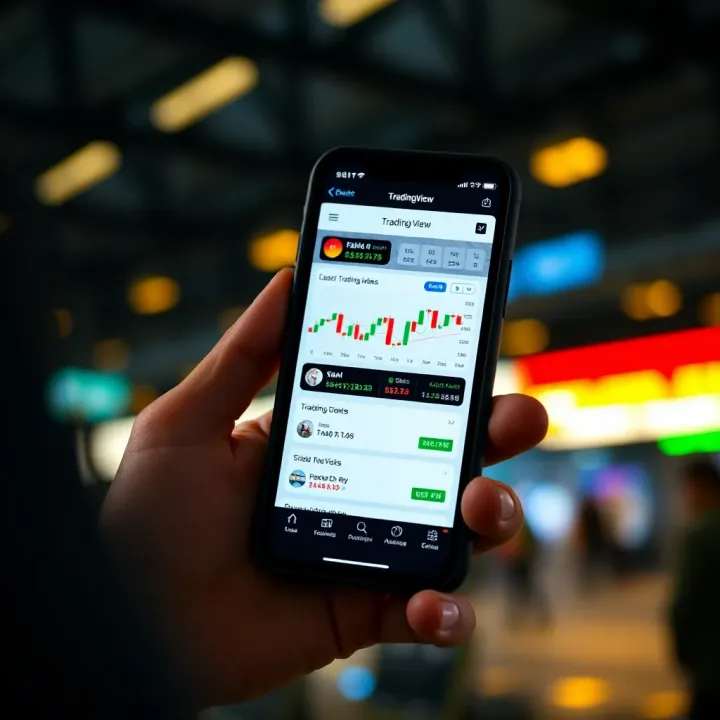
Backtest results give you numbers like net profit, drawdown, win rate, and more. Interpreting these correctly is critical to avoid false confidence or unnecessary jading.
Net profit shows if the strategy would have made money overall.
Drawdown reveals the biggest loss period, highlighting risk.
Win rate shows the percentage of profitable trades.
It’s not about having the highest profit but balancing risk and reward that fits your trading preferences. A strategy with 60% wins but small losses might be better than one with 80% wins but occasional big losses.
Always remember, past results don't guarantee future performance, but they do help spot red flags and build trust in your approach.
For Pakistani traders, backtesting also helps adapt global strategies to local markets, adjusting for factors like trading hours, market volatility, and economic events.
Combining the hands-on coding in Pine Script with thorough backtesting empowers you to approach markets strategically rather than impulsively. It’s a practice that can turn TradingView from just a charting tool into your personal trading lab.
Sharing ideas and engaging with the community on TradingView is more than just an optional feature—it's a vital part of becoming a better trader. For Pakistani traders, this interaction can open doors to insights tailored specifically to their unique market conditions, such as the Pakistan Stock Exchange (PSX) or forex pairs popular in the region. By exchanging charts, analyses, and strategies, traders avoid going it alone and tap into a collective wisdom that can sharpen decision-making.
TradingView’s community acts like a bustling marketplace of thoughts where traders showcase their setups and lessons learned from both wins and losses. This exchange often leads to realistic perspectives on local market trends, plus they help in spotting patterns that might otherwise go unnoticed. Simply put, sharing builds trust and confidence, which are as vital as any technical indicator.
Publishing your trade ideas on TradingView is straightforward but impactful. After crafting a detailed analysis or marking key levels on your chart, use the platform’s “Publish” button to share it with the community. Include a clear explanation of your reasoning—why you’re eyeing a particular breakout or reversal, maybe supported by RSI or MACD signals. For example, a trader observing bullish divergence on PSX’s KSE-100 index could highlight this along with potential price targets.
Make sure to tag your post with relevant symbols, market type, and style of analysis (like technical or fundamental). This helps your insight reach the traders most interested in Pakistan’s markets. Charts with annotations, trendlines, and colored highlights make your ideas easier to follow, boosting your engagement.
Engagement goes beyond just posting. Respond promptly to comments on your ideas and encourage constructive criticism. A good way is to ask questions like, “Do you agree with this support level?” or “What are your thoughts on the volume trend here?” This sparks conversations and builds rapport.
Avoid overly technical jargon whenever possible; remember, clear communication broadens your audience. Also, respect differing opinions and keep discussions professional—even when you disagree. Regular activity, such as liking others’ posts and sharing your updated views, keeps your profile visible and trustworthy within the community.
The key is to identify traders who focus on instruments relevant to Pakistan or who apply strategies compatible with local market volatility and trading hours. Use TradingView’s search filters to look for analysts who post frequently on PSX stocks, rupee forex pairs, or commodities like cotton and wheat, important to the Pakistani economy.
Look for traders whose explanations match your trading philosophy—is it swing trading, day trading, or long-term investing? Following such aligned traders not only helps you stay updated on market movements but also opens doors to strategies tested against similar economic conditions.
TradingView’s comment sections and chat rooms are where real-time feedback and trade discussions happen. Engage actively by commenting on others’ analyses to ask for clarification or share your own observations. For example, if someone posts a bearish setup on Pakistan’s oil sector, you might add insights on recent government policies affecting supply.
Chats offer a more casual environment to discuss breaking news or immediate trade setups. Pakistani traders often benefit from these quick exchanges, especially when reacting to unexpected events like currency devaluations or political developments.
Consistent interaction in comments and chats not only improves your trading knowledge but also expands your network, sometimes leading to partnerships and mentoring opportunities.
By sharing your own ideas and engaging with others, you’re not just trading charts; you’re joining a dynamic learning environment designed to grow your trading skills in realistic, local-market scenarios.
Integrating TradingView with your brokerage account is a game-changer, especially for traders in Pakistan looking to streamline their trading processes. Instead of juggling different apps or screens, you can monitor charts, analyze trends, and execute trades all in one place. This direct link reduces delays in decision-making and order execution — something crucial when the market can shift in seconds.
Beyond convenience, integration offers better control and visibility over your trades. You can manage open positions, set stop-losses, or take profits without leaving TradingView. This setup fits well with the fast-paced nature of trading and suits both day traders and swing traders alike.
One important thing to note is not all brokers support TradingView integration, so you need to pick brokers compatible with the platform. For Pakistani traders, some notable brokers that currently offer TradingView integration include:
Interactive Brokers: Popular globally, provides direct market access and supports TradingView’s order execution.
FXCM: Known for forex and CFD trading, FXCM works smoothly with TradingView and offers a user-friendly interface.
OANDA: Another forex giant that allows TradingView account linkage, handy for those focusing on currency pairs relevant to Pakistan’s market.
These brokers provide the necessary APIs for TradingView and allow seamless order placement from the chart interface.
Connecting your brokerage account to TradingView is generally straightforward but requires careful attention to security:
Log into your TradingView account.
Navigate to the 'Brokerage' panel, usually found on the right-hand side of the dashboard.
Select your broker from the supported list.
Enter your brokerage login credentials securely when prompted.
Authorize TradingView to access your account for order execution and data synchronization.
Make sure to verify the connection by testing a small order or checking your portfolio update within TradingView. Most brokers have clear instructions and customer support to guide you through this.
One of the major perks of integration is being able to place your orders without leaving the platform. This cuts down on switching between apps and reduces the risk of missing timely opportunities.
To place an order directly from TradingView:
Open the chart for the instrument you want to trade.
Click the 'Trading Panel' at the bottom.
Choose your order type: market, limit, stop, or stop-limit.
Enter the quantity and price (if applicable).
Review and confirm your order.
This process keeps your trading swift and lets you act on technical signals or sudden market moves instantly.
TradingView doesn’t just let you place trades; it also helps you manage them
You can view your open positions in real-time on the chart or the trading panel.
Modify existing orders, like adjusting stop-loss or take profit levels on the fly.
Close positions quickly without needing to navigate to your broker's website or app.
This instant control backs up more precise risk management, especially during volatile times.
For Pakistani traders dealing with fluctuating markets and time-sensitive moves, integrating TradingView with brokerage accounts offers a more streamlined, efficient trading experience. It’s like having your entire trading desk rolled into one screen.
In summary, if you want to trade smarter, faster, and with more convenience, setting up TradingView with a compatible broker is definitely worth considering. Just be sure to pick a broker that fits your trading style and provides reliable support for TradingView integration.
Trading in today's fast-paced market means you can't always be glued to a desktop. For traders in Pakistan, where mobility often makes the difference between catching a market move or missing it, using TradingView on a mobile device isn't just a convenience—it’s a necessity. Mobile access lets traders monitor charts, place alerts, and react quickly, whether they're commuting in Karachi or waiting in line at a local market.
Charting capabilities: While the desktop version offers an extensive set of tools, mobile TradingView packs quite a punch too. The mobile charts maintain most technical indicators and drawing tools you'd expect, though with a streamlined interface. You can pinch to zoom and scroll effortlessly, helping you quickly scan through candlestick patterns or trendlines. For example, Pakistani traders following the PSX can easily switch between real-time updates on shares like MCB Bank or Engro Corporation right on their phone. That said, some advanced scripts or multi-chart views might be limited on mobile, so it's important to know when a deeper desktop analysis is due.
Notifications and alerts: Staying updated is key in volatile markets, and TradingView's mobile alerts make sure you’re not left in the dark. You can set price alerts on specific levels or indicator conditions, and your phone receives instant push notifications. This feature is particularly handy for traders who can't stare at the screen all day. Imagine setting an alert for the KSE-100 index hitting a critical support level—you get notified instantly and can act before the window closes.
Managing connectivity: In Pakistan, internet speeds and reliability vary widely depending on location. TradingView's mobile app is designed to handle some level of patchy connectivity gracefully, but traders should still have a backup plan. Using Wi-Fi whenever possible and having a mobile data plan with decent coverage is essential. Apps like Jazz, Zong, or Telenor often offer good packages. Keeping the app updated also helps reduce glitches caused by outdated versions. A good practice is to download relevant charts or data snapshots for offline review during known connectivity downtimes.
Mobile-specific functions: The app offers touch-friendly controls, allowing easy placement of orders or drawing on charts with just taps and swipes. Features like quick alert setting, real-time chat with the community, and simple watchlist management cater specifically to mobile traders. Also, mobile notifications can be customized to vibrate or sound differently based on alert type, so you’re not overwhelmed with generic buzzes. For example, when testing a strategy during Pakistan's market hours, you can quickly toggle indicators or camera snapshots of your chart to share in trading groups without rushing back to your desktop.
Mobile trading with TradingView in Pakistan means you can stay in the game no matter where you are, making it easier to seize opportunities quickly and keep a finger on the market pulse.
In brief, the mobile platform provides a practical, flexible way to trade and analyze markets on the go, preserving most needed features from desktop while adapting to the limitations and perks of smartphones.
Custom alerts and notifications are vital tools for traders who want to stay ahead without having to stare at charts all day. For traders in Pakistan, where market hours and internet reliability can vary, these alerts act like a personal assistant, signaling the right moments to act. By setting these up correctly, traders can react faster to price movements or indicator signals, helping them seize opportunities or cut losses before markets swing too much.
TradingView offers several types of alerts, including price alerts, indicator alerts, and even alerts based on custom Pine Script conditions. Price alerts notify you when a stock or currency reaches a specific price level you've chosen. Indicator alerts trigger when a technical tool, such as RSI or MACD, hits a preset value, like an RSI dropping below 30 signaling oversold conditions. This flexibility allows traders to keep track of different factors beyond just price, effectively covering more ground without needing to watch screens constantly.
Configuring alerts involves setting the exact conditions that trigger a notification. You can choose criteria like crossing above or below a price, reaching a certain value, or even more complex ones using logical operators with Pine Script. For example, a trader might want an alert when the 50-day moving average crosses above the 200-day moving average, a classic signal known as the golden cross. Proper configuration reduces false alarms and ensures alerts are meaningful, giving Pakistani traders a clear edge by focusing on moments that truly matter.
As the number of alerts grows, organizing them becomes key to avoiding clutter and confusion. TradingView allows you to name alerts and group them logically, such as by asset class or trading strategy. For instance, a forex trader in Karachi could create separate folders for USD/PKR alerts and other global currency pairs, making it faster to review and adjust them during busy days.
TradingView supports notifications through multiple channels: emails, push notifications on mobile apps, and even SMS alerts. For traders in Pakistan, this flexibility is gold, especially when internet connection can be spotty. You might get a notification on your phone during your commute or an email alert when you're back home. Setting up multiple channels ensures you won’t miss critical market changes that could impact your trades.
Staying on top of the market without constant screen-watching isn't just convenient—it's a smart way to trade, especially in fast-moving or volatile situations.
By customizing alerts and managing them efficiently, traders in Pakistan can respond swiftly to market moves, improving their timing and confidence in decision-making.
Understanding the cost and subscription plans of TradingView is essential, especially for traders in Pakistan who want to make the most of their investment. Whether you're a beginner or a pro, knowing which plan offers the right tools without burning a hole in your pocket makes all the difference. With a variety of options available, it’s important to balance your trading needs with affordability.
What features come with each plan?
TradingView offers a free plan alongside several paid tiers: Pro, Pro+, and Premium. The free plan is quite generous if you're just testing waters — it includes access to basic charts, a limited number of indicators per chart (up to three), and one active alert. However, for active traders in Pakistan who track multiple markets or need faster data updates, this can quickly feel restrictive.
Paid plans offer more flexibility. For example, the Pro plan allows up to five indicators per chart, two charts per layout, and ten saved chart layouts. Pro+ increases these limits further and provides intraday exchanges with faster data refreshes, which is quite handy if you’re trading stocks listed on the Pakistan Stock Exchange or forex pairs that require timely analysis. Premium, the top tier, lifts the alerts limit drastically and adds features like second-based intervals and export data options.
Is the paid plan worth it for Pakistani traders?
Whether the paid plan is worth it depends on your trading style and frequency. If you’re a casual trader who checks the market now and then, the free version might suffice. But if you’re trading actively, especially during volatile market phases, paid plans bring real value. For instance, during earnings season or political events affecting Pakistani stocks, having multiple alerts and real-time data can make or break your trades.
Consider the pricing too—while some might hesitate at the subscription fees converted into PKR, remember the cost as an investment in better decision-making tools rather than an expense. Local forex traders, for example, benefit significantly from faster data refresh and multiple charts to watch USD/PKR and other pairs simultaneously.
Choosing the right plan
Start by evaluating your trading habits honestly. Ask yourself: How many charts do I analyze at one time? Do I rely on alerts, or do I prefer manual checking? What markets am I trading—stocks, forex, crypto? For traders primarily focused on the Pakistan Stock Exchange, faster data refresh and a handful of well-timed alerts can boost performance.
It helps to begin with the Pro plan to test if its expanded features meet your needs. If you find yourself limited by indicator counts or alert quantities after a couple of weeks, consider upgrading. Remember, subscription plans aren’t set in stone—TradingView allows monthly renewals, so you can switch plans as your trading evolves.
Tips to maximize value
Use alerts strategically: Set alerts only for critical price levels or indicator signals tailored to your trading strategy. This prevents notification fatigue.
Customize your workspace: Save chart layouts relevant to your favorite markets or asset types to save time.
Leverage TradingView’s social features to learn and share ideas, especially within Pakistani trader groups.
Schedule regular reviews of your subscription usage. Sometimes downgrading to a cheaper plan during slow market periods helps save funds.
Smart subscription management can keep your TradingView costs manageable while giving you access to valuable tools that suit your trading routine.
In a nutshell, Pakistani traders who think carefully about their subscription choice and actively use the advanced tools tend to get the most bang for their buck in TradingView. Balancing cost with the features you actually use is the key to success in this platform.
Trading on TradingView as a trader based in Pakistan comes with its own unique set of hurdles. From internet connectivity to managing an overload of data, these challenges can frustrate even experienced traders. However, knowing the common pain points and having practical fixes in place keeps your trading smoother and more productive. This section breaks down these common problems and offers straightforward solutions tailored for traders in Pakistan, ensuring you don’t just face the issues but also handle them like a pro.
Internet reliability in Pakistan can be hit or miss, which directly affects your trading experience on a platform like TradingView that demands real-time data. A stable connection is a must, especially when you are watching volatile markets where every second counts.
Opt for fiber optic broadband services from providers like PTCL Smart or Nayatel where available, as these offer more consistent speeds compared to basic DSL or mobile internet.
If fiber isn't an option, consider 4G LTE from Jazz or Zong; these tend to be more reliable than slower 3G connections.
Use a backup mobile hotspot as a fail-safe during outages.
Regularly monitor your internet speed using apps like Speedtest to ensure you’re getting what you pay for.
Taking these steps goes a long way in reducing dropped connections and lag, vital for timely chart updates and order placement.
When you know connectivity can falter, prepare for offline work.
Download market data snapshots or historical charts for the day so you can review and plan trades without needing a live feed.
Use TradingView’s desktop app which can load cached data faster than the web version when internet dips.
Consider using local software like MetaTrader 5 that allows some offline analysis.
Taking some time to save critical info offline turns unpredictable internet into a less scary hurdle.
With thousands of charts, indicators, and news headlines flying at you on TradingView, it’s easy to drown in data and lose sight of what really matters for your trades.
Use TradingView’s filter feature to narrow down stocks or forex pairs that meet your specific criteria (volume, price action, indicators).
Set up alerts only on crucial price levels or indicator signals rather than firing off a dozen alerts per hour.
Create watchlists focused on your preferred sectors or instruments to avoid jumping between too many markets.
These tools help keep your screen and mind uncluttered, allowing you to focus where it counts.
Stick to a handful of technical indicators that you understand well and that suit your trading style instead of piling on every popular tool.
Prioritize data from markets you trade actively, such as Pakistan Stock Exchange (PSX) or Forex pairs popular with Pakistani traders.
Filter news updates to just those impacting your instruments.
This focus helps prevent decision paralysis and keeps your strategy clear and disciplined.
Managing connectivity and cutting through data noise are not just technical fixes but fundamental habits to build for trading success in Pakistan's dynamic environment.
With these tips, you can face internet hiccups and information floods without losing your cool or your capital.
Security and privacy are not just buzzwords but essential elements for traders, especially those operating in markets like Pakistan where cybersecurity awareness is still developing. On platforms like TradingView, which store sensitive financial data, trading strategies, and personal information, maintaining your security posture is crucial. This section will cover practical steps and considerations every Pakistani trader should keep in mind to safeguard their account and personal data from unauthorized access or misuse.
A strong password is your first line of defense. Avoid obvious choices like "password123" or your date of birth. Instead, mix upper and lower case letters, numbers, and special characters. For example, a password like B4nk$Pak_89! is far more secure. Since many people reuse passwords across sites, it’s smart to have a unique one just for TradingView. If remembering complex passwords is tough, consider a reliable password manager like LastPass or 1Password, both widely available in Pakistan. This small effort can keep your account safe from brute force attacks or simple hacking attempts.
Even the strongest password can be breached, so two-factor authentication (2FA) adds an extra lock on your account. TradingView supports 2FA, where after entering your password, you'll need to confirm your identity via your phone, typically through an app like Google Authenticator or via SMS. This means that even if someone steals your password, they’ll be stopped cold without access to your phone. For example, if you're using TradingView while at a café in Karachi on public Wi-Fi, 2FA ensures that a hacker sniffing the network can’t just login without that second verification step.
TradingView is as much social as it is technical. You can share your charts and ideas publicly or keep them private. For Pakistani traders who might want to keep their strategies under wraps, especially if trading sensitive local stocks or forex pairs, adjusting your privacy settings is key. By default, your ideas are public, but you can limit visibility to only your followers or keep them completely private. This prevents your unique setups from leaking to competitors or less trustworthy viewers.
Understanding how TradingView handles your data helps you make informed choices. The platform collects data to improve user experience, like saving your chart preferences, but it’s important to know what gets shared outside the platform. TradingView states it does not sell personal data but may share anonymized usage stats with partners. Pakistani traders should note that enabling certain features like social sharing or broker integration involves some data exchange. Always review the privacy policy within the platform settings regularly to stay aware of any changes.
Staying vigilant about security and privacy isn't just a one-time task — it's an ongoing habit that protects you from the unpredictable risks of online trading.
In essence, a mix of strong passwords, enabling 2FA, wisely chosen privacy controls, and clear understanding of data policies will go a long way to keep your TradingView journey safe and secure.
As we wrap up this guide, it's clear that TradingView isn't just another charting tool—it's a powerful ally tailored to help Pakistani traders navigate both local and international markets effectively. Understanding how to make the most of TradingView can mean the difference between guessing blindly and making informed trading moves.
The importance of this conclusion lies in tying together the various elements covered—from setting up accounts to leveraging alerts and trading strategies carefully designed for market conditions in Pakistan. By adopting these tips and staying adaptable, traders can sharpen their skills and improve their trading performance.
TradingView offers a broad range of technical indicators and tools, but applying them smartly to the Pakistan Stock Exchange (PSX) or FX markets requires nuance. For example, given the sometimes sparse intraday data for some Pakistani equities, traders might focus more on daily or weekly charts than minute-by-minute updates, which could be less reliable.
Using community scripts that highlight sector-specific trends in Pakistan — like textiles or fertilizers — can help you spot patterns missed in generic tools. Custom alerts based on PKR currency moves or commodity prices relevant to Pakistan’s economy can keep you on top of sudden market swings.
Markets are never static, and this is especially true in Pakistan, where economic and political shifts can have outsized impacts. Staying updated on new TradingView features or script developments ensures you won’t miss out on tools that could improve your trading edge.
More importantly, treat TradingView as a learning platform, not just a charting service. Regularly reviewing your trades, engaging with the community, and experimenting with Pine Script for personalized insights keeps your trading approach fresh. Remember, adapting to local events—like policy changes or foreign investment announcements—and mixing this info with your TradingView analysis can boost your decision-making.
TradingView frequently rolls out feature improvements, bug fixes, and new tools. Following their official channels or update logs means you won’t be caught off guard when an important feature like new chart types or enhanced mobile alerts is introduced.
In Pakistan, where internet connectivity can be spotty, knowing about features that improve platform speed or offline accessibility could save you from missed trading opportunities. Plus, these updates can often optimize your workflow and overall experience.
One of TradingView’s best assets is its active community. Engaging in forums or discussion threads focused on Pakistani markets connects you with fellow traders facing similar challenges. You can exchange ideas, share custom Pine Scripts, or get feedback on your strategies.
The community also helps cut through noise by filtering relevant information and highlighting what works specifically for local conditions. Even if you are a seasoned trader, there's value in these conversations—sometimes a fresh viewpoint or a simple tip shared casually in a forum can spark new insights.
Staying connected with both official updates and the community keeps your TradingView experience dynamic and relevant to Pakistan’s evolving markets.
By focusing on these final tips, Pakistani traders can better adapt TradingView’s versatile tools to their unique trading world, maintain an edge, and trade smarter on every front.
Explore TradingView.com for Pakistani traders 🇵🇰! Learn to set up accounts, use advanced charts 📊, and join a vibrant trading community for smarter decisions 🌐.
Explore TradingView.com to boost your trading in Pakistan 🇵🇰! Learn key tools, charting tips, social features, and market analysis strategies 📈💡.
Discover how to master TradingView's advanced charts, tools & community features, tailored for traders in Pakistan to boost your trading game 📈🇵🇰.

📈 Discover how TradingView's tools and community support traders in Pakistan and beyond. Learn to customize charts, analyze markets, and enhance your trading strategy.
Based on 11 reviews